How to Track Calories for Free: Complete Beginner's Guide (2024)
Learn how to track calories for free using apps, photos, and manual methods. Discover the fastest free calorie tracking methods—no subscription required. Start tracking today!
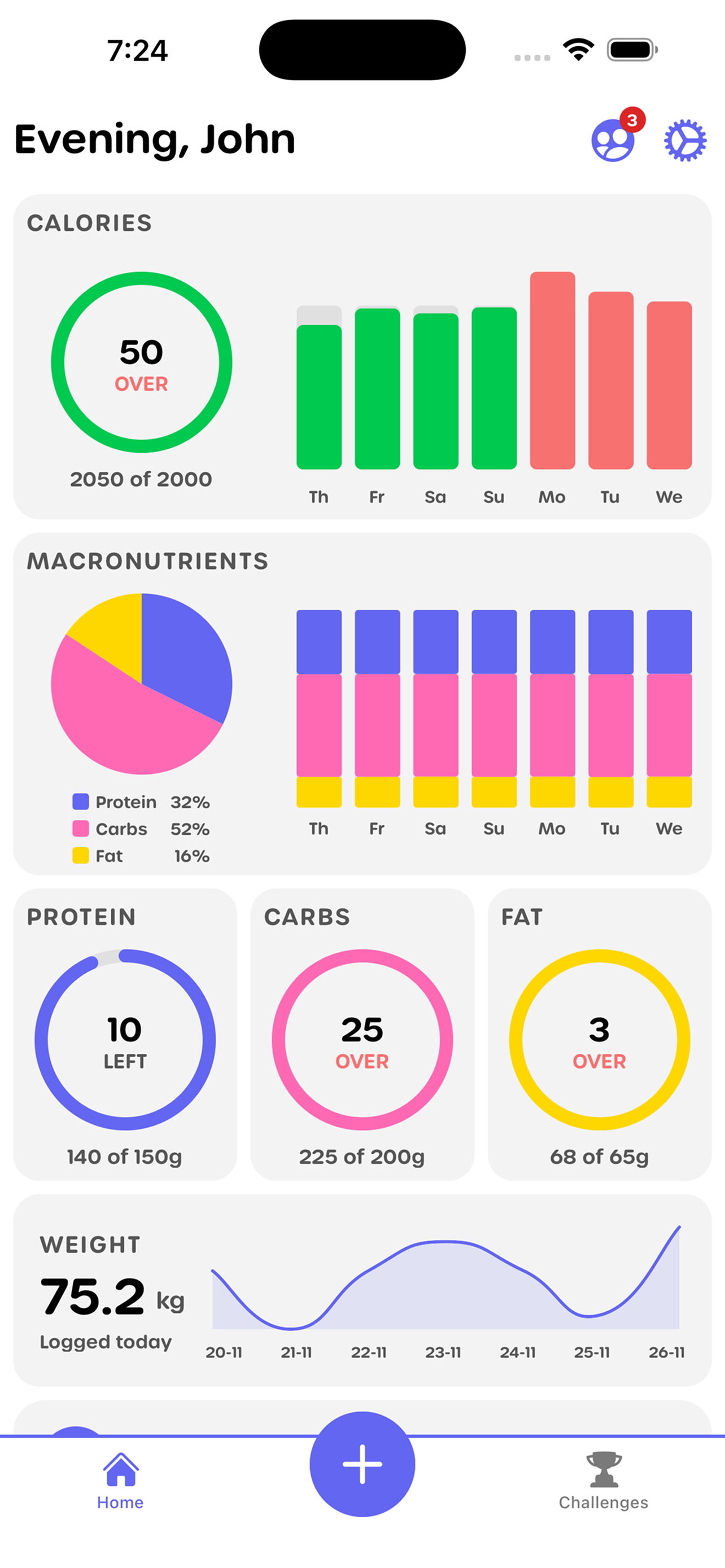
Tracking calories doesn't have to cost money or be complicated. Whether you're just starting your fitness journey or looking for a free alternative to expensive apps, this guide shows you exactly how to track calories for free using multiple methods.
Why Track Calories for Free?
Benefits of Free Tracking:
- No subscription fees
- Access to essential features
- Try different methods
- No financial commitment
- Learn what works for you
When Free Tracking Works Best:
- Starting your fitness journey
- Testing calorie tracking
- Budget-conscious approach
- Learning nutrition basics
- Building awareness
Method 1: Free Calorie Tracking Apps
Best Free Apps
YOMP
- AI photo calorie tracking
- No subscription required
- Macro tracking included
- Social challenges
- Completely free core features
MyFitnessPal (Free Version)
- Large food database
- Basic calorie tracking
- Barcode scanning (premium)
- Free with ads
Lose It! (Free Version)
- Simple interface
- Basic tracking
- Free with limitations
FatSecret
- Completely free
- No premium tier
- Good feature set
- Community features
How to Use Free Apps
Getting Started:
- Download your chosen app
- Create free account
- Set your goals
- Start logging meals
- Track daily progress
Tips for Success:
- Log immediately after eating
- Use barcode scanning when available
- Take photos for visual tracking
- Review your data weekly
- Stay consistent daily
Method 2: Photo-Based Tracking
How Photo Tracking Works
Process:
- Take photo of your meal
- AI estimates calories and macros
- Review and adjust if needed
- Save to food diary
Benefits:
- Fastest method (80% faster than manual)
- Visual food diary
- Less tedious than searching databases
- Accurate estimates
- Convenient
Best Photo Tracking Apps
YOMP - Optimized for photo tracking with AI recognition FatSecret - Includes photo diary feature MyFitnessPal - Photo support available
Tips for Accurate Photo Tracking
- Take clear, well-lit photos
- Include entire meal in frame
- Show portion sizes clearly
- Take photos from above
- Include common items for reference
Method 3: Manual Tracking
How Manual Tracking Works
Process:
- Write down everything you eat
- Look up calories online or in books
- Calculate totals manually
- Track in notebook or spreadsheet
Free Resources:
- USDA Food Database (free online)
- Nutrition labels on packages
- Online calorie calculators
- Free nutrition websites
Manual Tracking Tools
Notebook Method:
- Simple pen and paper
- Write meals and calories
- Calculate daily totals
- Review weekly
Spreadsheet Method:
- Google Sheets (free)
- Create food log
- Use formulas for totals
- Track trends over time
Pros:
- Completely free
- No app needed
- Full control
- Learn nutrition values
Cons:
- Time-consuming
- Requires research
- Easy to forget entries
- Less convenient
Method 4: Online Calorie Calculators
Free Online Tools
USDA FoodData Central
- Official nutrition database
- Free to use
- Comprehensive data
- Reliable source
Nutrition.gov
- Government resource
- Free calculators
- Educational content
- Trusted information
MyPlate.gov
- Free tracking tools
- Meal planning
- Portion guidance
- Educational resources
How to Use Online Calculators
- Visit free nutrition website
- Search for food item
- Enter portion size
- Get calorie information
- Log manually or in app
Comparing Free Methods
Speed Comparison
Fastest: Photo tracking (YOMP) - 30 seconds per meal Fast: Free apps with barcode - 1-2 minutes per meal Moderate: Free apps manual entry - 2-3 minutes per meal Slowest: Manual tracking - 5+ minutes per meal
Accuracy Comparison
Most Accurate: Free apps with verified databases Good: Photo tracking with AI Moderate: Manual tracking with research Variable: Online calculators (depends on source)
Convenience Comparison
Most Convenient: Photo tracking apps Convenient: Free tracking apps Less Convenient: Online calculators Least Convenient: Manual notebook tracking
Tips for Free Calorie Tracking Success
Consistency Tips
- Track immediately after eating
- Set reminders on your phone
- Keep tracking simple
- Don't skip days
- Review weekly progress
Accuracy Tips
- Measure portions when possible
- Use verified entries in apps
- Double-check unusual foods
- Learn common portion sizes
- Be honest with yourself
Motivation Tips
- Focus on progress, not perfection
- Celebrate small wins
- Join free challenges
- Track with friends
- Review your improvements
Common Free Tracking Mistakes
Mistakes to Avoid
Skipping Meals
- Track everything, even small snacks
- Don't forget beverages
- Include cooking oils and condiments
Estimating Incorrectly
- Measure portions when possible
- Use visual guides for portion sizes
- Don't underestimate serving sizes
Giving Up Too Soon
- Track for at least 2 weeks
- Review what's working
- Adjust your method if needed
- Stay consistent
Using Inaccurate Sources
- Stick to verified databases
- Check nutrition labels
- Use reputable sources
- Verify unusual entries
Free Tracking vs Premium Apps
What You Get Free
Core Features:
- Calorie counting
- Basic macro tracking
- Food database access
- Progress tracking
- Goal setting
Free App Features:
- Photo tracking (YOMP)
- Social challenges (YOMP)
- Barcode scanning (some apps)
- Basic reporting
- Community support
What Premium Adds
Premium Features:
- Advanced analytics
- Meal planning tools
- Ad-free experience
- Priority support
- Additional integrations
Do You Need Premium?
- Usually not necessary
- Free features sufficient for most
- Premium adds convenience
- Not required for results
Getting Started: Step-by-Step
Week 1: Choose Your Method
Day 1-2: Research free methods Day 3: Choose your preferred method Day 4: Set up tracking system Day 5-7: Start tracking consistently
Week 2: Build the Habit
Focus: Consistency over perfection Goal: Track every meal for 7 days Review: What's working and what's not Adjust: Make changes if needed
Week 3+: Refine Your Approach
Optimize: Improve accuracy Learn: Understand your eating patterns Progress: See improvements over time Maintain: Keep tracking consistently
Free Tracking Resources
Apps to Try
- YOMP - Best free photo tracking
- MyFitnessPal - Largest database (free version)
- Lose It! - Simple and user-friendly
- FatSecret - Completely free, no premium
Online Resources
- USDA FoodData Central
- Nutrition.gov
- MyPlate.gov
- Free nutrition calculators
Tools You Already Have
- Your smartphone camera
- Notes app
- Calculator
- Pen and paper
Conclusion
Tracking calories for free is not only possible but can be highly effective. Whether you choose free apps, photo tracking, manual methods, or online calculators, the key is consistency and accuracy.
Free calorie tracking provides everything you need to understand your nutrition, make informed choices, and achieve your fitness goals—all without spending money on subscriptions.
Ready to start tracking calories for free? Download YOMP and experience the fastest free calorie tracking method available. Our AI photo tracking makes it easy to log meals in seconds, completely free, with no subscription required.
Key Takeaways:
- Multiple free calorie tracking methods available
- Photo tracking is fastest and most convenient
- Free apps provide essential features
- Consistency matters more than method
- Free tracking can be just as effective as premium
Next Steps:
- Choose your preferred free method
- Set up your tracking system
- Start logging meals today
- Stay consistent for best results
- Review and adjust as needed
Ready to Start Your Fitness Journey?
Download YOMP and join thousands of users tracking their fitness goals