Best Calorie Counting App: How to Choose the Right One for You (2025 Guide)
Discover how to choose the best calorie counting app for your needs. Compare features, accuracy, and user experience to find your perfect fitness tracking solution.
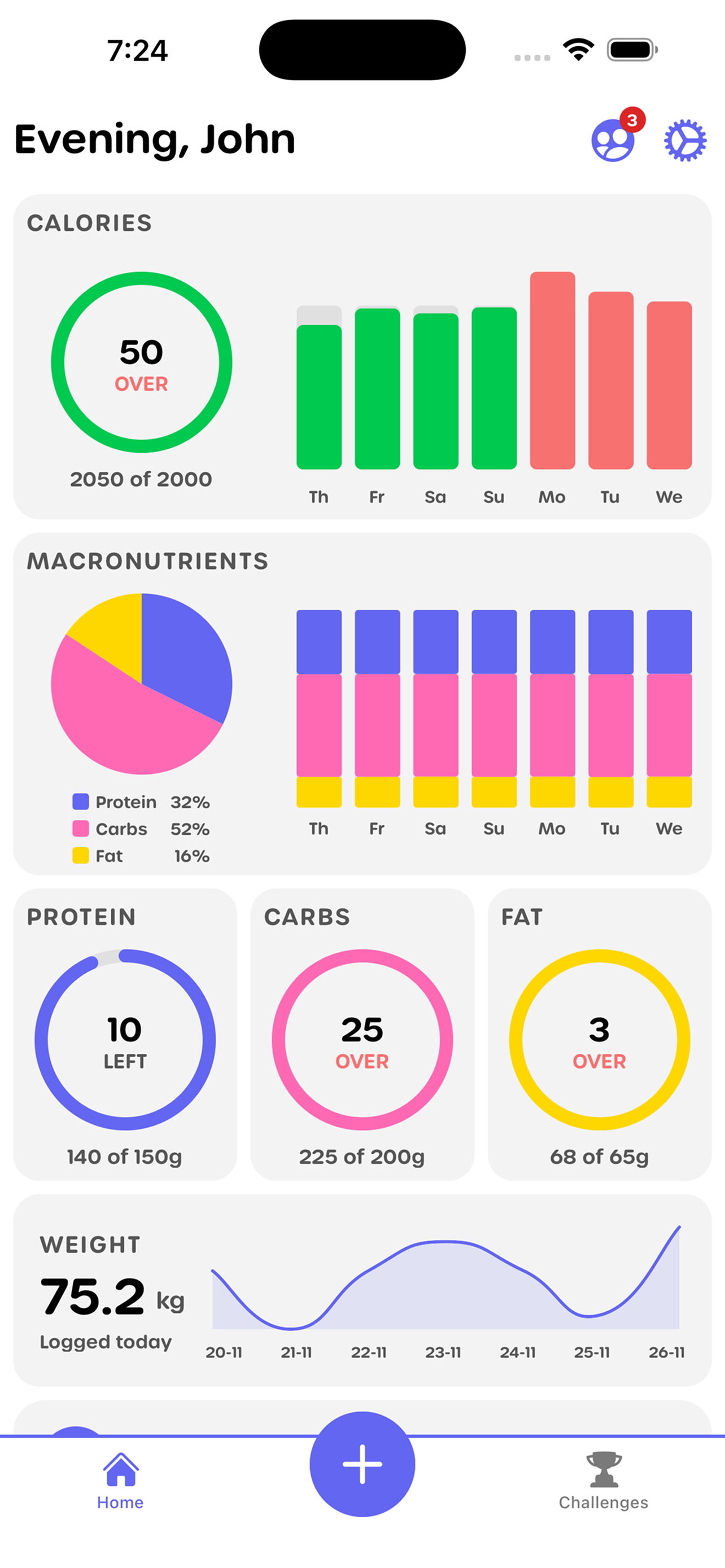
With hundreds of calorie counting apps available in app stores, finding the right one can feel overwhelming. Each app promises to be the best calorie counting app, but how do you know which one will actually work for your lifestyle, goals, and preferences?
The truth is, there's no single "best" calorie counting app that works for everyone. The best calorie counting app for you depends on your tracking style, goals, budget, and what features matter most. This comprehensive guide will help you navigate the decision-making process and find the calorie tracker app that fits your needs perfectly.
Why Choosing the Right App Matters
Before diving into features and comparisons, it's important to understand why your choice matters. The right calorie counting app can:
- Increase your success rate: Studies show that people who use apps they enjoy are 3x more likely to stick with tracking long-term
- Save time: The right tracking method can reduce daily logging time by up to 80%
- Improve accuracy: Better user experience leads to more consistent tracking
- Build sustainable habits: An app that fits your lifestyle is easier to maintain
The wrong app, on the other hand, can lead to frustration, abandonment, and wasted time. That's why understanding what makes a great calorie counting app and how to evaluate your options is crucial.
If you're interested in detailed comparisons of specific apps, check out our comprehensive comparison of free calorie tracking apps or learn why many calorie tracking apps fail and what alternatives work better.
What Makes a Great Calorie Counting App?
Not all calorie counting apps are created equal. Here are the essential qualities that separate excellent apps from mediocre ones.
Core Functionality
Accurate Tracking Methods
- Multiple ways to log food (photo, manual entry, barcode scanning)
- Reliable food database with verified entries
- Accurate calorie and macro calculations
- Ability to handle custom recipes and meals
User-Friendly Interface
- Intuitive navigation that doesn't require tutorials
- Fast, responsive performance
- Clean, uncluttered design
- Easy to use daily without frustration
Essential Features
- Calorie and macro tracking (protein, carbs, fats)
- Progress visualization and analytics
- Goal setting and customization
- Food database access
- Meal planning capabilities (basic or advanced)
Accuracy Considerations
Database Quality
- Verified, professional entries vs. user-submitted data
- Regular updates and corrections
- Coverage of foods you actually eat
- Accuracy of portion size estimates
Tracking Method Accuracy
- Photo recognition accuracy (if applicable)
- Barcode scanning reliability
- Manual entry precision
- Recipe calculation accuracy
User Experience Factors
Ease of Use
- How quickly can you log a meal?
- Is the learning curve manageable?
- Can you use it efficiently on mobile?
- Does it integrate with your daily routine?
Design and Aesthetics
- Modern, pleasant interface
- Clear visualizations
- Helpful notifications (not annoying)
- Customizable to your preferences
Free vs Premium Considerations
What You Get Free
- Core tracking functionality
- Basic food database access
- Essential features
- Progress tracking
What's Typically Premium
- Advanced analytics and reports
- Ad-free experience
- Meal planning tools
- Priority support
- Additional integrations
The best calorie counting app for you balances these factors based on your specific needs and budget.
Key Features to Evaluate
When comparing calorie counting apps, these features will help you make an informed decision.
Tracking Methods
Photo-Based Tracking
- Take a photo of your meal
- AI estimates calories automatically
- Fastest method (up to 80% faster than manual)
- Best for: Visual learners, busy people, home-cooked meals
- Apps excelling here: YOMP, FatSecret
Manual Entry
- Search database and select foods
- Enter portions manually
- Most traditional method
- Best for: Detailed trackers, people who eat out frequently
- Apps excelling here: MyFitnessPal, Lose It!
Barcode Scanning
- Scan product barcodes
- Instant food identification
- Very accurate for packaged foods
- Best for: People who eat packaged foods regularly
- Apps excelling here: MyFitnessPal, Lose It!, YOMP
Hybrid Approach
- Combine multiple methods
- Flexibility based on situation
- Best of all worlds
- Apps offering this: Most modern apps
Database Size and Accuracy
Large Databases (10M+ foods)
- Pros: More likely to find what you're looking for
- Cons: May include inaccurate user-submitted entries
- Best for: People who eat diverse, international, or restaurant foods
- Example: MyFitnessPal
Curated Databases
- Pros: Higher accuracy, verified entries
- Cons: Smaller selection
- Best for: People who eat common foods
- Example: YOMP, Cronometer
Balanced Approach
- Pros: Good coverage with quality control
- Cons: May miss some obscure items
- Best for: Most users
- Example: Lose It!, YOMP
Social Features and Challenges
Social Features
- Connect with friends
- Share progress
- Community support
- Accountability partners
Challenge Systems
- Step challenges
- Weight loss competitions
- Custom fitness goals
- Group accountability
Why It Matters
- 3x higher success rates with social accountability
- Makes tracking more enjoyable
- Provides motivation and support
- Creates sustainable habits
Apps with strong social features: YOMP, MyFitnessPal (limited), Strava (fitness-focused)
Integration Capabilities
Health Apps
- Apple Health integration
- Google Fit sync
- Fitbit, Garmin, other wearables
- Automatic activity import
Other Apps
- Recipe apps
- Meal planning services
- Fitness equipment
- Nutrition databases
Why It Matters
- Reduces manual entry
- Provides complete picture
- Saves time
- Improves accuracy
Privacy and Data Security
Privacy Considerations
- How is your data used?
- Is data sold to third parties?
- Can you export your data?
- What information is shared?
Security
- Data encryption
- Secure login methods
- Regular security updates
- Transparent privacy policies
What to Look For
- Clear privacy policy
- Option to control data sharing
- Ability to delete account and data
- GDPR compliance (if applicable)
Most reputable apps have solid privacy practices, but always review policies if this is important to you.
App Comparison: Top Options
Here's a quick comparison of leading calorie counting apps to help you understand your options. For a more detailed comparison of free options, see our complete guide to free calorie tracking apps.
| Feature | YOMP | MyFitnessPal | Lose It! | Cronometer | FatSecret |
|---|---|---|---|---|---|
| Best For | Photo tracking, social features | Large database | Simplicity | Detailed nutrition | Completely free |
| Tracking Methods | Photo, manual, barcode | Manual, barcode | Manual, barcode | Manual, barcode | Manual, barcode, photo |
| Database Size | Growing, curated | 14M+ foods | Large | Good | Moderate |
| Photo Tracking | Excellent (AI-powered) | Basic | Limited | No | Photo diary |
| Social Features | Strong (challenges, friends) | Basic | Limited | Limited | Community |
| Free Features | Comprehensive | Basic | Good | Good | All features free |
| Ads | Minimal | Many | Some | Minimal | Minimal |
| Premium Cost | Free | $9.99/mo | $39.99/yr | $5.99/mo | None |
| User Experience | Modern, intuitive | Dated, cluttered | Simple, clean | Technical | Basic |
| Macro Tracking | Full | Full | Full | Full + micronutrients | Full |
YOMP
Overview YOMP is a modern calorie counting app that specializes in photo-based tracking and social fitness features. It's designed for people who want fast, convenient tracking without the burden of manual entry.
Strengths
- Revolutionary AI photo tracking (just take a photo)
- Strong social features and challenges
- Modern, intuitive interface
- Comprehensive free features
- Minimal ads, no aggressive paywalls
- Integrated fitness and nutrition tracking
Best For
- People who prefer photo-based tracking
- Social fitness enthusiasts
- Users who want challenges and accountability
- Those seeking modern, user-friendly design
- People who want comprehensive free features
Limitations
- Smaller database than MyFitnessPal
- Newer platform (smaller user base)
- Some advanced analytics premium
MyFitnessPal
Overview MyFitnessPal is the most established calorie counting app with the largest food database available. It's been around for over a decade and has built a massive user base.
Strengths
- Largest food database (14+ million foods)
- Extensive restaurant menus
- Reliable barcode scanning
- Well-established platform
- Good for detailed tracking
Best For
- People who need extensive database
- Frequent restaurant diners
- Users comfortable with manual entry
- Those who don't mind ads
- People wanting comprehensive features
Limitations
- Many features locked behind premium
- Cluttered, dated interface
- Excessive ads in free version
- Steeper learning curve
- User-submitted data can be inaccurate
Lose It!
Overview Lose It! focuses on simplicity and user-friendliness. It's designed for people who want straightforward calorie tracking without complexity.
Strengths
- Simple, clean interface
- Easy to use
- Good for beginners
- Reliable tracking
- Helpful community
Best For
- Beginners to calorie tracking
- Users who want simplicity
- People focused on weight loss
- Those who prefer straightforward apps
- Users who don't need advanced features
Limitations
- Smaller database than MyFitnessPal
- Some features premium
- Less advanced than competitors
- Limited integrations
- Basic reporting
Cronometer
Overview Cronometer focuses on detailed nutrition tracking, including comprehensive micronutrient tracking. It's popular with health-conscious users and those on specific diets.
Strengths
- Best micronutrient tracking
- Detailed nutrition data
- Good for health optimization
- Accurate, science-based data
- Helpful for specific diets
Best For
- Health optimization enthusiasts
- Users tracking micronutrients
- People on specific diets
- Those wanting detailed nutrition data
- Science-minded users
Limitations
- Can be overwhelming
- Steeper learning curve
- Less user-friendly than some
- Smaller community
- More technical
FatSecret
Overview FatSecret is a completely free calorie counting app with no premium tier. All features are available without subscription.
Strengths
- Completely free (no premium)
- Good feature set
- Community features
- Photo diary
- Recipe database
Best For
- Users who want everything free
- Budget-conscious users
- People who like community features
- Those who don't need largest database
- Users who prefer simple apps
Limitations
- Smaller user base
- Less polished interface
- Database not as extensive
- Less modern design
- Fewer updates
How to Choose Based on Your Needs
The best calorie counting app for you depends on your specific situation. Here's how to match apps to your needs:
Choose YOMP If:
- You prefer photo-based tracking: YOMP's AI photo recognition makes logging meals incredibly fast
- You want social features: Challenges, friends, and accountability help you stay motivated
- You value modern design: Clean, intuitive interface that's pleasant to use daily
- You want comprehensive free features: No aggressive paywalls or excessive ads
- You want integrated fitness tracking: Nutrition and fitness in one app
Choose MyFitnessPal If:
- You need the largest database: 14+ million foods including extensive restaurant menus
- You eat out frequently: Best coverage for restaurant and packaged foods
- You're comfortable with manual entry: Don't mind searching databases
- You don't mind ads: Free version has many advertisements
- You want established platform: Been around longest, most users
Choose Lose It! If:
- You're a beginner: Simplest interface to learn
- You want straightforward tracking: No overwhelming features
- You prefer clean design: Simple, uncluttered interface
- You focus on weight loss: Designed with weight loss goals in mind
- You want good free features: Solid free tier without excessive limitations
Choose Cronometer If:
- You track micronutrients: Best app for detailed nutrition data
- You're on a specific diet: Excellent for specialized dietary needs
- You want science-based data: Most accurate nutrition information
- You're health-optimization focused: Beyond just calories
- You don't mind complexity: More technical interface
Choose FatSecret If:
- You want completely free: No premium tier, all features free
- You're budget-conscious: Don't want to pay for premium features
- You like community features: Strong community support
- You prefer simple apps: Basic but functional
- You don't need largest database: Moderate database is sufficient
Red Flags to Avoid
When evaluating calorie counting apps, watch out for these warning signs:
Excessive Advertisements
The Problem
- Interrupts your tracking flow
- Makes app unpleasant to use
- Can slow down performance
- Distracts from your goals
What to Look For
- Apps with minimal or no ads
- Ability to use core features without interruption
- Ads that don't interfere with functionality
Core Features Behind Paywall
The Problem
- Can't use app effectively without paying
- Free version feels like a trial
- Essential features require premium
- Forces upgrade to use properly
What to Look For
- Core tracking features available free
- Premium adds convenience, not necessity
- Can achieve goals with free version
- Reasonable free limitations
Poor User Experience
The Problem
- Confusing interface
- Slow performance
- Difficult to navigate
- Frustrating to use daily
What to Look For
- Intuitive design
- Fast, responsive
- Easy to learn
- Pleasant to use
Privacy Concerns
The Problem
- Unclear data usage
- Selling data to third parties
- Lack of transparency
- Security vulnerabilities
What to Look For
- Clear privacy policy
- Control over your data
- Transparent practices
- Strong security measures
Inaccurate Data
The Problem
- Wrong calorie counts
- Incorrect macro information
- Unreliable food database
- Leads to poor results
What to Look For
- Verified database entries
- Regular updates and corrections
- Accurate calculations
- Reliable information
Making Your Decision: A Step-by-Step Framework
Use this framework to systematically evaluate and choose your calorie counting app:
Step 1: Identify Your Priorities
Ask Yourself:
- What's your primary tracking method preference? (Photo, manual, barcode)
- Do you need social features and challenges?
- How important is database size?
- What's your budget? (Free vs. premium)
- Do you need detailed nutrition tracking?
- How important is user experience?
Rank Your Priorities
- Most important factor
- Second most important
- Third most important
- Nice to have
- Not important
Step 2: Match Apps to Your Priorities
Compare Top Options
- Review the comparison table above
- Match apps to your priority list
- Identify 2-3 top candidates
- Note strengths and limitations
- For more detailed comparisons, check out our free calorie tracking apps guide and best free fitness tracker apps comparison
Step 3: Try Before You Commit
Test Period
- Download 2-3 top candidates
- Use each for 3-7 days
- Test core features
- Evaluate user experience
- Compare tracking methods
What to Test
- How easy is logging meals?
- Is the interface intuitive?
- Are features you need available?
- Does it fit your daily routine?
- Do you enjoy using it?
Step 4: Evaluate After Testing
Key Questions
- Which app felt most natural?
- Which was fastest to use?
- Which had features you actually used?
- Which did you look forward to using?
- Which fit your lifestyle best?
Step 5: Make Your Choice
Decision Factors
- Choose the app you'll actually use consistently
- Prioritize sustainability over features
- Consider long-term use, not just initial appeal
- Trust your experience during testing
Commitment
- Delete other apps to avoid confusion
- Learn your chosen app thoroughly
- Use it consistently for at least 30 days
- Build habits around the app
What to Test in Your First Week
Once you've chosen an app, here's what to focus on during your first week:
Day 1-2: Learn the Basics
Actions
- Complete onboarding/tutorial
- Set up your profile and goals
- Log your first few meals
- Explore main features
- Get comfortable with interface
Focus
- Understanding core functionality
- Learning navigation
- Basic meal logging
- Setting up preferences
Day 3-5: Build Consistency
Actions
- Log all meals consistently
- Try different tracking methods
- Explore features you'll use regularly
- Set up any integrations
- Join challenges or community (if applicable)
Focus
- Building daily habit
- Finding your preferred tracking method
- Understanding features
- Making it part of routine
Day 6-7: Optimize and Refine
Actions
- Review your progress
- Adjust goals if needed
- Customize settings
- Identify what's working
- Address any frustrations
Focus
- Optimizing your workflow
- Making it sustainable
- Troubleshooting issues
- Building confidence
Common Mistakes to Avoid
Mistake 1: Choosing Based on Popularity Alone
The Problem
- Most popular doesn't mean best for you
- May not match your needs
- Could have features you don't need
- Might be overwhelming
The Solution
- Focus on your specific needs
- Test apps yourself
- Choose based on fit, not popularity
- Prioritize what works for you
Mistake 2: Not Testing Before Committing
The Problem
- Committing without trying
- May not like the interface
- Features might not work as expected
- Could waste time switching later
The Solution
- Always test 2-3 options
- Use each for at least a few days
- Compare experiences
- Choose based on testing
Mistake 3: Overthinking the Decision
The Problem
- Analysis paralysis
- Spending too much time researching
- Delaying getting started
- Missing out on progress
The Solution
- Set a decision deadline
- Test quickly (3-7 days)
- Make a choice and commit
- Start tracking and adjust later
Mistake 4: Ignoring User Experience
The Problem
- Choosing based on features alone
- Ignoring how it feels to use
- Overlooking interface quality
- Prioritizing specs over experience
The Solution
- Prioritize user experience
- Choose apps you enjoy using
- Consider daily usability
- Focus on sustainability
Mistake 5: Not Considering Long-Term Use
The Problem
- Choosing based on initial appeal
- Not thinking about sustainability
- Ignoring maintenance requirements
- Short-term thinking
The Solution
- Consider long-term use
- Think about daily routine
- Evaluate sustainability
- Choose for the long haul
Conclusion
Finding the best calorie counting app for you isn't about finding the "best" app overall—it's about finding the app that best fits your needs, preferences, and lifestyle. The right calorie counting app is one you'll actually use consistently, enjoy using, and that helps you achieve your goals.
Whether you choose YOMP for its revolutionary photo tracking and social features, MyFitnessPal for its massive database, Lose It! for its simplicity, Cronometer for detailed nutrition, or FatSecret for complete free access, the key is finding what works for you.
Remember, the best calorie counting app is the one you'll use consistently. Features don't matter if you abandon the app after a few weeks. Focus on sustainability, user experience, and finding an app that fits your daily routine.
Ready to find your perfect calorie counting app? Start by identifying your priorities, testing a few top options, and choosing the one that feels most natural. The right app can make tracking effortless and help you build sustainable habits that lead to lasting results.
If you're looking for a modern calorie counting app with AI photo tracking, social challenges, and comprehensive free features, try YOMP. Our app makes calorie tracking fast, easy, and enjoyable—helping you build sustainable habits without the burden of perfect tracking.
Key Takeaways:
- The best calorie counting app depends on your specific needs and preferences
- Key factors to consider: tracking methods, database size, social features, user experience, and cost
- Photo-based tracking is fastest (up to 80% faster than manual entry)
- Social features increase success rates by 3x
- Always test 2-3 apps before committing
- User experience matters more than feature lists
- The best app is one you'll use consistently
- Focus on sustainability over perfection
Next Steps:
- Identify your priorities and tracking preferences
- Review the comparison table and app overviews
- Download 2-3 top candidates
- Test each for 3-7 days
- Evaluate based on your experience
- Choose the app that feels most natural
- Commit to using it consistently for 30 days
- Build sustainable tracking habits
Remember, there's no perfect app—only the perfect app for you. Take the time to find it, and you'll set yourself up for long-term success.
Frequently Asked Questions
What is the best calorie counting app?
The best calorie counting app depends on your specific needs. YOMP excels for photo-based tracking and social features, MyFitnessPal offers the largest database, Lose It! provides the simplest experience, Cronometer delivers detailed nutrition tracking, and FatSecret is completely free. The best app for you is one that fits your tracking style, goals, and preferences.
How do I choose a calorie tracker app?
To choose a calorie tracker app, follow these steps:
- Identify your priorities (tracking method, features, budget)
- Compare top options using comparison tables
- Test 2-3 apps for 3-7 days each
- Evaluate based on user experience and fit
- Choose the app you'll use consistently
Focus on sustainability and user experience rather than just features.
Are free calorie counting apps accurate?
Yes, free calorie counting apps can be highly accurate. The accuracy depends on database quality, tracking method, and user input. Apps with verified databases and AI photo recognition (like YOMP) can be very accurate. Most free apps provide accuracy comparable to premium versions for core tracking features.
What features should I look for in a calorie app?
Essential features to look for:
- Multiple tracking methods (photo, manual, barcode)
- Accurate food database
- Calorie and macro tracking
- Progress visualization
- User-friendly interface
- Social features (if desired)
- Integration capabilities
- Privacy and security
Choose features based on your specific needs and priorities.
Is photo-based calorie tracking accurate?
Yes, photo-based calorie tracking can be very accurate, especially with AI-powered recognition like YOMP offers. Benefits include speed (80% faster than manual entry), convenience, and visual learning. Accuracy improves over time as AI learns. It works best for home-cooked meals, plated foods, and common dishes.
Should I pay for a premium calorie tracking app?
Not necessarily. Many free calorie counting apps provide everything you need for effective tracking. Premium features typically add convenience (advanced analytics, meal planning) rather than necessity. Free apps can be just as effective for achieving your goals. Only upgrade if premium features specifically address your needs.
How do I know if a calorie counting app is right for me?
An app is right for you if:
- You enjoy using it daily
- It fits your lifestyle and routine
- Tracking feels easy and natural
- You use it consistently
- It helps you achieve your goals
- The interface is pleasant
- Features match your needs
Test apps for a few days to evaluate fit before committing.
Can I use multiple calorie counting apps?
You can, but it's generally better to stick with one app for consistency. Using multiple apps can lead to confusion, inconsistent data, and wasted time. However, trying 2-3 apps briefly can help you find the best fit. Once you choose, commit to one app to build consistent habits.
What's the difference between calorie counting apps?
Key differences include:
- Tracking methods (photo vs. manual vs. barcode)
- Database size and accuracy
- Social features and challenges
- User interface and experience
- Free vs. premium features
- Integration capabilities
- Focus (simplicity vs. comprehensive)
Choose based on which differences matter most to you.
How long should I test a calorie counting app?
Test each app for 3-7 days to get a good sense of:
- How easy it is to use daily
- Whether you enjoy the interface
- If features work as expected
- How it fits your routine
- Whether you'll use it consistently
This gives enough time to evaluate without delaying your start too long.
Do I need the app with the largest database?
Not necessarily. Large databases can include inaccurate user-submitted entries. Curated databases with verified entries may be more accurate. Consider what foods you actually eat—if you eat common foods, a smaller but accurate database may be better than a large but unreliable one.
What makes YOMP different from other calorie counting apps?
YOMP stands out with:
- Revolutionary AI photo tracking (just take a photo)
- Strong social features and challenges
- Modern, intuitive interface
- Comprehensive free features
- Minimal ads, no aggressive paywalls
- Integrated fitness and nutrition tracking
It's designed for people who want fast, convenient tracking with social accountability.
Can I lose weight using only free calorie counting apps?
Absolutely! Free calorie counting apps provide everything you need to lose weight:
- Calorie counting
- Macro tracking
- Progress monitoring
- Goal setting
- Food logging
The key is consistency and accuracy in tracking, not premium features. Many people successfully lose weight using only free app features.
How do I switch from one calorie counting app to another?
To switch apps:
- Export your data from the old app (if possible)
- Set up your new app with similar goals
- Start fresh tracking in the new app
- Don't try to transfer historical data manually (too time-consuming)
- Focus on building new habits with the new app
The most important thing is consistency going forward, not perfect historical data.
Ready to Start Your Fitness Journey?
Download YOMP and join thousands of users tracking their fitness goals